


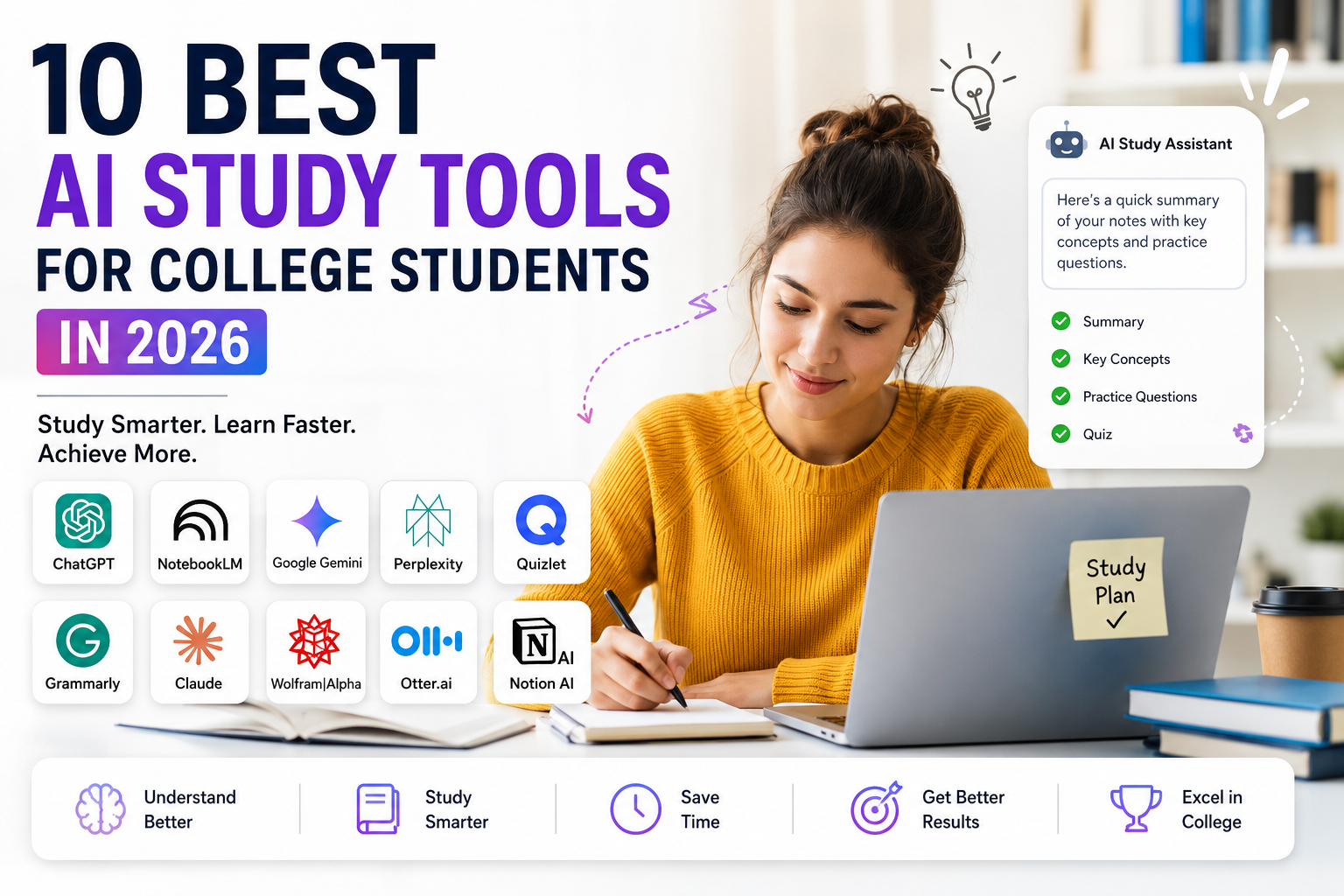
College students today have more AI tools at their fingertips than they know what to do with. Ask five different people which one is “the best,” and you’ll get five different answers — because the honest truth is there isn’t one best tool. There’s a best tool for a specific job, and picking the wrong one usually just means more tab-switching, not better grades.
This guide breaks down the 10 best AI study tools for college students in 2026 — what each one is genuinely good at, and how to build them into a workflow instead of just hoarding apps you open twice and forget about.
Table of Contents
Key Takeaways
- AI study tools fall into a few clear buckets: explaining concepts, researching, revising, writing, organizing, and crunching numbers.
- NotebookLM is the strongest option when you want AI to work from your notes and readings, not the entire internet.
- ChatGPT, Gemini, and Claude are good all-purpose tutors, but double-check anything you plan to actually rely on.
- Research tools and revision tools solve different problems — match the tool to the task, not the hype.
- Free plans cover most everyday student needs; paid tiers matter more once you’re doing heavier, more frequent work.
- Used well, AI speeds up the boring parts of studying so you can spend more time actually learning — used badly, it just outsources the thinking you were supposed to be doing.
What Counts as an “AI Study Tool,” Really?
Broadly, AI tools for studying in college cover anything that uses AI to help with understanding material, researching a topic, building revision resources, tightening up your writing, organizing your workload, or solving problems. Some of these tools are built entirely around materials you upload — NotebookLM works this way. Others are more general-purpose, like Wolfram|Alpha for math-heavy problem solving.
And this isn’t a fringe habit anymore. The 2026 HEPI Student Generative AI Survey found that 95% of the UK undergraduates it surveyed had used AI in some form, and 94% had used it specifically to help with assessed work. Whatever your opinion on that, it means AI use in college is now closer to the norm than the exception. For a deeper look at the bigger picture, see our guide on how AI is changing college education.
What Do These Tools Actually Help With?
Think of it less as “one AI to rule them all” and more as a toolkit:
- Concept learning — getting a confusing topic broken down step by step
- Research — finding and cross-checking sources on something you don’t know much about
- Revision — turning a wall of notes into flashcards, quizzes, or summaries
- Writing — cleaning up grammar, structure, and citations
- Math — working through calculations and showing the steps
- Note-taking — transcribing and condensing lectures
- Organization — keeping notes, deadlines, and projects in one place
The tools that actually help you learn are the ones you argue with a little — you read the explanation, you poke at it, you apply it yourself. The ones that hurt you are the ones you just copy and paste from.
Why This Blew Up in 2026
A few numbers explain the shift better than any trend piece could. In that same HEPI survey, 49% of students said AI had genuinely improved their experience — mostly by saving time, sharpening their understanding, or giving them help at 2am when no TA is awake. Separately, a UCLA Teaching & Learning Center survey found 60% of students had used generative AI to research a topic, 57% to brainstorm a writing or presentation project, and 57% to study for exams.
The catch is that widespread adoption creates a new headache: too many options. A student cramming for a stats final and a student trying to make sense of 400 pages of assigned reading don’t need the same tool — and treating them like they’re interchangeable is how you end up frustrated with a perfectly good app.
How Is AI Changing the Way College Students Study?
AI is shifting studying from solo, linear work — read, re-read, hope it sticks — toward something more interactive: notes that quiz you back, research that cross-checks itself, and explanations that adjust when your first question doesn’t land. It hasn’t replaced studying, but it’s compressed the time between “I don’t get this” and “okay, now I do.” For the fuller trend picture, our AI-in-education guide covers where this is headed next.
What Actually Makes a Study Tool Worth Using
Before you download yet another app, it helps to check it against a short list:
| Feature | Why it matters |
|---|---|
| Study usefulness | Does it solve a real problem you have right now? |
| Accuracy | Wrong answers, confidently delivered, are worse than no answer |
| Source support | Can you actually verify what it tells you? |
| Free tier | Can you test it before committing money? |
| Privacy | What happens to the notes and files you upload? |
| Output quality | Are the summaries/flashcards/quizzes actually usable? |
| Subject coverage | Does it fit your specific courses? |
| Access | Web, mobile, or both? |
| Ease of use | Or does it take longer to set up than it saves? |
| Integrity support | Does it nudge you toward learning or toward shortcuts? |
Source grounding deserves a special mention here. A tool like NotebookLM answers questions using only the material you’ve fed it and links its answers back to those sources — which matters a lot when you need to trust what you’re reading before an exam, not just skim it and hope.
The 10 Best AI Study Tools for College Students in 2026
1. NotebookLM — Best for Studying From Your Own Materials
NotebookLM is built around your sources, not the open internet. Upload lecture PDFs, slide decks, readings, even audio recordings, and it works only from what you gave it.
Say your professor drops 12 dense PDFs on the course page the week before finals. Instead of reading them cold, you upload them to NotebookLM, ask it to build a study guide, and get flashcards and a quiz generated directly from that material — with the ability to trace any answer back to the exact source.
Best for: working from PDFs, lecture notes, and textbooks you already have. Watch out for: AI-generated summaries can still misrepresent a source, so check anything that matters against the original text.
For more on this category, see our roundup of AI note-taking tools for students.
2. ChatGPT — Best All-Purpose Study Assistant
ChatGPT’s Study Mode is specifically designed not to just hand you the answer. It asks questions back, checks whether you actually understood the explanation, and builds practice questions around what you’re stuck on.
If you’re wrestling with database normalization for a computer science course, you can ask it to walk you through a simplified example first, then follow up with practice problems that get progressively harder — rather than a one-shot definition that doesn’t stick.
Best for: tutoring-style conversations, brainstorming, and general explanation across almost any subject. Watch out for: it can be confidently wrong, so verify anything with real academic stakes.
3. Google Gemini — Best for Google-Based Workflows
If your entire academic life already runs through Google Classroom, Docs, and Sheets, Gemini slots in with less friction than switching to a separate app. Through Google Workspace for Education, eligible students get access to Guided Learning, practice quizzes, study guides, flashcards, and a dedicated Gemini Notebook.
Best for: students already living inside the Google ecosystem for assignments and classwork. Watch out for: feature access depends on your account type, age, region, and institution, so what you get can vary.
4. Perplexity — Best for Research and Source Discovery
Perplexity is built for finding things out, not just explaining things you already sort of know. Its Deep Research mode can pull from multiple sources, cross-reference claims, and even work through documents you upload.
If you’re writing a paper on renewable energy policy, Perplexity is useful for surfacing competing sources and viewpoints fast — but treat that as your starting point. Open the actual sources, check what they really say, and cite them properly using your program’s required style.
Best for: topic research and finding sources on something unfamiliar. Watch out for: research summaries can still misstate what a source actually claims — always verify before citing.
If research is your main use case, our guide to AI tools for academic research goes deeper on this.
5. Quizlet — Best for Flashcards and Exam Practice
Quizlet is where you go when reading summaries has stopped helping and you need active recall instead. Feed it a chapter or a set of notes, and its AI tools can turn that into flashcards, a study guide, or a practice test.
The real value shows up before an exam: you run through a practice test, see exactly which topics you’re shaky on, and spend your remaining study time there instead of re-reading everything equally.
Best for: memorization, flashcards, and practice testing. Watch out for: auto-generated cards occasionally get details wrong, so skim them for accuracy before trusting them fully.
For a focused breakdown, check our guide to the best AI tools for exam preparation.
6. Grammarly — Best for Academic Writing and Editing
Grammarly’s job is to make your own writing sharper, not to write it for you. Beyond grammar and clarity fixes, its plagiarism checker compares your paper against academic sources and published work, and can suggest citations in MLA, APA, or Chicago format.
The right way to use it: write the essay yourself, then run it through Grammarly to catch unclear sentences, awkward phrasing, and citation gaps — not to generate the argument in the first place.
Best for: grammar, clarity, and citation cleanup. Watch out for: don’t let editing suggestions quietly replace your own voice and ideas.
7. Claude — Best for Long-Form Explanation and Analysis
Claude tends to shine on dense, layered material — the kind of reading where you need the argument unpacked, not just summarized. Anthropic’s education-focused learning mode is built around questioning and guided discovery rather than just spitting out an answer.
A grad student working through a dense theoretical text can hand Claude the passage and ask it to break down the central argument, the assumptions underneath it, and what follows if those assumptions hold — which is a very different, more useful task than “summarize this in three bullet points.”
Best for: long, complex explanations and structured conceptual work. Watch out for: treat its analysis as a starting point for your own thinking, not as citable academic evidence.
8. Wolfram|Alpha — Best for Math and Computation
Wolfram|Alpha isn’t trying to have a conversation with you — it’s a computational engine built for algebra, calculus, statistics, chemistry, and physics. Its step-by-step breakdowns show the actual method behind a solution, not just the final number.
If you’re stuck mid-integration on a calculus problem, that’s exactly where it earns its keep: showing each algebraic step so you can find precisely where your own process went wrong.
Best for: calculations, equations, and technical problem-solving. Watch out for: copying the final answer without following the method defeats the entire point.
9. Otter.ai — Best for Lecture Transcription
Otter records and transcribes in real time so you can actually listen during a lecture instead of frantically transcribing every word by hand. It handles automated notes, slide capture during virtual classes, live captions, and searchable transcripts with highlighted keywords.
Best for: turning spoken lectures into searchable, reviewable notes. Watch out for: check your institution’s recording policy and get consent before recording a professor or classmates.
10. Notion AI — Best for Organizing Everything Else
Notion AI is less about generating content and more about not losing track of the content you already have. It handles search, writing help, and AI Meeting Notes that can transcribe group discussions and pull out action items — handy for a semester-long group project where nobody remembers who agreed to do what.
Best for: keeping notes, deadlines, and projects organized in one place. Watch out for: some of the more advanced features depend on your specific plan, so check what’s actually included before relying on it.
Matching the Best AI Apps for Students to the Task
No single app covers every study task well — the table below is the fastest way to match the job in front of you to the right tool, rather than defaulting to whichever one you already have open. If you want the full case for any of these, our guides on exam preparation, academic research, and note-taking each go deeper on a single row.
| Study Task | Go-To Tool | Why |
|---|---|---|
| Understanding a hard concept | ChatGPT | Interactive, Study Mode built for this |
| Studying your own PDFs/notes | NotebookLM | Sticks to your actual sources |
| Exam prep | Quizlet | Flashcards + practice tests |
| Research | Perplexity | Fast source discovery |
| Writing polish | Grammarly | Editing + citations |
| Dense, long-form material | Claude | Guided, structured breakdowns |
| Math and calculations | Wolfram|Alpha | Step-by-step computation |
| Lecture notes | Otter.ai | Real-time transcription |
| Staying organized | Notion AI | Notes, tasks, and projects together |
| Google-based classwork | Gemini | Built into Classroom and Docs |
Are Free Plans Actually Enough?
For most day-to-day studying, yes. Basic explanations, light research, simple writing help, and a reasonable number of flashcards are usually covered without paying anything. Where paid tiers start earning their cost is heavier, more frequent use — more research depth, higher usage caps, or features that solve a problem you’re hitting regularly, not occasionally.
The smart move is testing the free tier first and upgrading only once you’ve actually run into its limits — not because a subscription screen popped up and made a good pitch.
Is Using These Tools Considered Cheating?
It depends entirely on your school, your course, and the specific assignment — there’s no universal rule here, so check your syllabus and your institution’s policy before assuming anything is fine.
Using AI to get a concept explained before you attempt a problem set yourself is a very different thing from submitting AI-generated text as your own work on an assignment that prohibits it. That second one is exactly the kind of thing that gets flagged: in the 2026 HEPI survey, 12% of students admitted to directly including AI-generated text in assessed work, up from 8% the year before. That number moving in one direction should tell you something about how closely this is being watched. For a full walkthrough of where the lines usually sit, see our guide on how to use AI responsibly.
Staying Sharp Without Becoming Dependent
A few habits keep AI as a study aid instead of a crutch:
- Attempt it yourself first. Write your own answer before asking AI to check it — you learn more from being wrong and finding out why than from never trying.
- Ask for practice, not just answers. Have it quiz you or explain why a specific answer of yours was off.
- Verify the important stuff. Cross-check anything that actually matters against your textbook, lecture material, or a real academic source.
- Study without it sometimes. If you can’t recall something without AI open in another tab, you don’t know it yet — you just recognize it.
How to Actually Choose One
- Name the problem. Research? Revision? Writing? Math? Organization?
- Pick the tool built for that job, not the one everyone’s talking about.
- Try the free version on something real before paying for anything.
- Check its answers against a source you trust.
- Keep it only if it’s actually improving how you study — not just because it’s there.
Worth adding: be careful what you upload. Skip sensitive personal info, confidential records, or copyrighted material unless you’re sure you’re allowed to share it and you understand how the tool stores it.
This process works for any of the AI tools for studying in college covered here — the goal is always matching the tool to a real problem, not collecting apps. For more on building good habits around this, see our study tips for college students guide.
Putting It All Together: A Sample Workflow
Rather than picking one app and forcing it to do everything, most students get better results chaining a few together:
Lecture → Otter.ai for notes → NotebookLM for source-grounded review → ChatGPT or Claude when a concept needs a different angle → Perplexity for outside research → Quizlet to drill it in → Grammarly before you submit anything.
Each tool does one job well instead of one tool doing six jobs adequately — chaining a few of the best AI apps for students together beats expecting one app to do everything.
Bottom Line
There’s no single “best” AI study tool in 2026 — there’s NotebookLM for your own materials, ChatGPT, Gemini, or Claude for talking through concepts, Perplexity for research, Quizlet for drilling facts, Grammarly for tightening your writing, Wolfram|Alpha for math, Otter.ai for lectures, and Notion AI for keeping it all organized.
Use them to study smarter, not to skip studying. The students getting real value out of these tools are the ones still doing the thinking — AI just clears out the busywork so there’s more time left for that.
Click here to read more A1-InfoHub.com

